
Wolfbox Auto
WOLFBOX TECH, INC.Auto & Vehicles
3.145.00 Reviews
- Version
- 1.13.1
- Installs
- 50.00K
- Age Rating
- Everyone
Screenshots
Our Review of Wolfbox Auto
 Analysis by Appyee
Wolfbox Auto is the kind of app I would judge less like a traditional driving app and more like a companion to connected vehicle equipment. Its purpose is reflected in the way it sits inside the Auto & Vehicles category: the useful moments happen around the car, while the phone acts as the screen, control point, and place where driving-related information can be handled. That makes the quality of the connection between the app, the vehicle setup, and the phone a central part of the experience.
I spent time looking at it from the point of view of an ordinary driver rather than someone who wants to explore every setting. The first impression is straightforward, but the real question is whether the app remains practical when I am parked in a hurry, moving between mobile networks, or trying to recover from a connection that did not behave as expected. My overall view is cautious but positive: Wolfbox Auto makes the most sense when you already use compatible Wolfbox equipment and want a phone-based way to interact with it. It is much less compelling as a standalone download for someone who has no reason to connect it to a Wolfbox setup.
Where connectivity changes the experience
The developer behind the app is WOLFBOX TECH, INC., and the store summary presents it as a tool for smarter driving rather than as a general navigation, traffic, or maintenance platform. That distinction matters. I would not install this expecting it to replace a map app, a roadside service app, or a complete vehicle-management suite. Its value depends on the surrounding hardware and on how smoothly the phone can communicate with that setup.
In a connected car workflow, the first useful moment often comes after parking. I can imagine arriving home, leaving the car in the driveway, and wanting to check or manage what the vehicle accessory has captured without reaching for a separate computer. The phone is already nearby, so an app-based workflow feels more natural than removing storage media or waiting until later. That convenience is real, but it is also conditional: if the connection is slow, unavailable, or interrupted, the advantage quickly becomes less obvious.
This is why I would treat the app as part of a chain rather than an independent product. The phone, the Wolfbox equipment, the app, and whatever connection method the setup relies on all have to cooperate. A problem at any point can look like an app problem even when the cause is elsewhere. That is not unique to this product, but it is especially important here because the app’s usefulness is tied so closely to communication with the vehicle.
One practical habit makes the experience less frustrating: I would open the app while parked and allow myself a few moments to establish the connection before trying to review anything important. Trying to do this while walking away from the car, switching between several wireless accessories, or rushing into a meeting is a recipe for confusion. The app is better suited to a deliberate parked routine than to hurried roadside multitasking.
A realistic everyday routine
Consider a normal weekday. I park outside a supermarket and notice that I may need to review something from the drive later. Instead of waiting until I return home, I use the phone beside the car, open Wolfbox Auto, and check the available vehicle-related content while the setup is still close. If the connection starts cleanly, this is a sensible workflow: the phone is convenient, the inspection happens before the memory of the journey fades, and I can decide whether anything needs to be saved or shared.
The trade-off appears when I leave the parking space and expect the same interaction to continue from a distance. A phone app can feel like it should work anywhere because the phone itself travels everywhere, but connected vehicle accessories do not necessarily follow that assumption. I would not build an urgent safety routine around remote access unless I had already tested the exact setup. For everyday convenience, proximity and preparation matter more than the app’s presence on the phone.
That leads to a useful rule: use the app for inspection and management when conditions are stable, not as a substitute for paying attention on the road. I would never operate it while driving. Even a simple check can wait until the vehicle is safely parked, and the app’s connection-focused nature gives me no reason to take that risk.
Using it in different mobile contexts
The app is free to install and is rated for Everyone, which makes it easy to consider for a family vehicle or a shared car. Its minimum operating-system requirement is Android 7.0, so it is not limited to only the newest phones. Still, compatibility on paper is not the same as a comfortable experience on every device. Older phones may be perfectly capable of opening the app while offering a less pleasant experience when handling larger vehicle-related files or maintaining a wireless connection.
I would also separate three situations that are easy to confuse: using the app beside the car, using it after leaving the car, and using it while connected through ordinary mobile internet. These are not automatically equivalent. The app may be installed on a phone with a data plan, but that does not mean every vehicle interaction becomes available over the internet. The safest expectation is to test the workflow in the place where the equipment is installed and then learn which actions remain useful away from it.
This matters for people who travel frequently. A driver who parks in underground garages, crowded public lots, or places with heavy wireless interference may experience more friction than someone who keeps a vehicle at home and uses the app in an open driveway. In those environments, I would start with small checks rather than attempting a large transfer immediately. If a basic connection is unreliable, a bigger task will not become easier simply because the app is open.
Another mobile-context tip is to keep the phone’s attention focused during the connection process. Moving rapidly between apps, changing wireless settings, or accepting unrelated prompts can make it harder to tell whether the problem is with Wolfbox Auto or with the phone’s current state. I prefer to close the loop: park, open the app, connect, complete the task, and only then move on. That simple sequence reduces guesswork.
What happens when the connection fails
No connected accessory experience is complete without discussing failure. The most common frustration is not necessarily a crash; it is uncertainty. The app may appear ready while the vehicle equipment is not reachable, or a connection may begin and then stop before the task is finished. When that happens, I want clear feedback and a recovery path rather than repeated tapping.
My recovery approach would be methodical. First, I would confirm that the car and the relevant Wolfbox equipment are nearby and powered as expected. Next, I would close and reopen the app instead of repeatedly pressing the same control. After that, I would check the phone’s connection state and remove distractions from other wireless devices if necessary. Finally, I would retry with a smaller task. This sequence sounds basic, but it prevents the common mistake of changing several things at once and then not knowing what fixed the issue.
The app is not the right place to improvise during a time-sensitive incident. If I needed evidence from a journey, I would rather have prepared the system before driving and know how to access it while parked. A connected app can make review easier, but it should not be the only plan for something important. I would keep the vehicle accessory configured properly and avoid assuming that a phone connection will always be available at the exact moment it is needed.
There is also a recovery trade-off for people who frequently switch phones. A new device can introduce unfamiliar settings, a different wireless environment, or a different amount of available storage. Before relying on it, I would perform a full test at home: connect to the vehicle setup, inspect a small item, and confirm that the workflow feels understandable. That test is more valuable than simply seeing the app launch successfully.
One limitation I noticed in the overall concept is that the app cannot remove the physical and environmental variables around the vehicle. Distance, power state, interference, and phone behavior still matter. Users who expect the software to smooth over every hardware or connection issue may be disappointed. In my view, Wolfbox Auto is most dependable when used as a controlled extension of the equipment, not as a magical remote window into the car.
Being sensible with mobile data and storage
Connectivity also raises a data-conscious question. Vehicle-related media can be much larger than an ordinary text document, so I would avoid treating every review or transfer as something to do casually over mobile data. Even without making assumptions about the app’s exact transfer behavior, the practical advice is clear: use a stable local connection when possible, watch how much content is being handled, and avoid starting a large task when the phone is low on battery or storage.
This is especially useful for drivers who have limited data plans. I would review only the relevant portion first rather than attempting to move everything. If I were preparing material to share, I would select what matters while parked, then confirm that the result is actually available on the phone before deleting or changing anything in the vehicle setup. That extra check protects against a half-completed transfer being mistaken for a finished one.
Storage management is another overlooked part of the workflow. A phone can fill up quietly when people keep multiple copies of driving-related media. I would create a simple routine: inspect, keep the necessary item, move it to the intended long-term location, and remove duplicates from the phone. The app may be free, but the surrounding workflow can still consume time, battery, and storage if it is left unmanaged.
Privacy also deserves a practical rather than dramatic approach. I would avoid reviewing or sharing vehicle-related material in a crowded place if it includes information about where I live, work, or regularly travel. Before sending anything onward, I would watch for visible addresses, faces, license plates, or other identifying details. This is not a reason to reject the app; it is a reminder that convenient phone access can make sharing easier than careful review.
For someone who uses the app only occasionally, a low-data routine is simple: connect near the vehicle, inspect the smallest useful amount, keep the phone organized, and avoid unnecessary repeated transfers. For someone who checks content often, it is worth deciding in advance what should remain on the phone and what should be moved elsewhere. That decision prevents the app from becoming another source of digital clutter.
Who will appreciate it, and who should skip it
I think Wolfbox Auto is best for a driver who already owns compatible Wolfbox equipment and wants a more convenient phone-centered workflow. It is also a reasonable choice for someone who prefers checking vehicle-related material beside the car rather than using a desktop computer. The free price lowers the barrier to trying it, and the Everyone rating makes it approachable for general household use.
I would be more hesitant to recommend it to someone looking for a standalone driving assistant. If your main needs are turn-by-turn directions, live traffic, fuel prices, parking discovery, or maintenance reminders, a dedicated app in one of those categories will be a better match. Wolfbox Auto should not be judged as a replacement for those tools because its role is narrower and more closely tied to the Wolfbox ecosystem.
It may also be a poor fit for drivers who dislike connection troubleshooting. If you want an app that works identically whether you are next to the car, across town, or in another location, this is not the expectation I would set. The experience depends on the relationship between phone and vehicle setup, so people who value absolute simplicity may prefer a more self-contained alternative, even if that alternative offers fewer vehicle-specific controls.
On the other hand, a technically comfortable user may appreciate having a focused companion rather than a crowded dashboard application. The narrower purpose can be an advantage because it keeps the phone workflow centered on the connected equipment. My recommendation would be strongest for that audience: someone willing to test the connection once, learn a reliable parked routine, and accept that the app is an accessory to hardware rather than a complete driving platform.
How it compares with familiar alternatives
The usual alternative is not always another app. Many drivers handle vehicle-related media directly through the equipment, a computer, or removable storage. That approach can be slower and less convenient when I am already holding my phone, but it may feel more predictable for larger reviews and long-term organization. Wolfbox Auto’s advantage is immediacy: it brings the task closer to the place where the driving happened.
Compared with general cloud-based vehicle services, a focused app such as this can feel less universal. A cloud service may be easier for access across locations if the product is designed around that model, while Wolfbox Auto’s usefulness is more dependent on the local relationship with the Wolfbox setup. I would choose the focused option when I care about direct interaction with my equipment, and a broader service when remote access across devices is the main priority.
Compared with a generic file-management app, Wolfbox Auto should provide a more relevant context for vehicle-related use. A file manager may be useful after content reaches the phone, but it does not replace an app designed around the connected car accessory. The trade-off is flexibility: a file manager handles many kinds of files, while this app is more specialized. That specialization is helpful only if the connected Wolfbox workflow is what I actually need.
The current version is 1.13.1, and the app has reached over fifty thousand installs. Its average rating is 3.1 from roughly one hundred ratings, with around forty-five written reviews. I read those figures as a sign to keep expectations measured rather than as a final verdict. The install base shows that people are using it, while the middling rating suggests that connection behavior, compatibility, or individual expectations may not be equally satisfying for everyone.
Because the app was released on July 7, 2025, I would give it a fair trial in my own vehicle rather than assuming that another person’s experience will match mine. The combination of phone model, operating system, Wolfbox equipment, and parking environment can shape the result. A short, realistic test is more informative than judging it from the store page alone.
My connectivity verdict
After looking at the app through everyday use rather than headline features, I see Wolfbox Auto as a useful but situational companion. Its strongest quality is convenience when I am near the vehicle and want to handle a Wolfbox-related task from the phone. Its weakest point is the dependence on a connection that can be affected by hardware state, surroundings, and mobile habits outside the app itself.
I would install it if I owned compatible Wolfbox equipment, especially if I often need to review or manage driving-related material soon after parking. I would first test a complete workflow, keep the phone organized, and avoid relying on it during a moving vehicle or an urgent situation. Those habits make the app feel more dependable because they respect what it is designed to do.
I would skip it if I wanted navigation, traffic information, or a universal remote vehicle service. I would also think twice if connection troubleshooting already feels like a burden. For the right owner, however, Wolfbox Auto is a practical bridge between a Wolfbox vehicle setup and the phone already in your hand. My final recommendation is therefore conditional but clear: try it when the hardware relationship is the reason you are searching, and judge it by the reliability of your own parked routine rather than by expecting a complete driving app.
Verdict
Strengths of Wolfbox Auto
- Clear video quality helps capture plates and road signs.
- Parking surveillance can monitor the vehicle while it is unattended.
- Loop recording automatically replaces older clips when storage is full.
- Wide-angle coverage reduces blind spots around the front of the car.
- Recorded footage can be useful for insurance claims or incident reports.
Limitations of Wolfbox Auto
- Some features may require a compatible Wolfbox dash camera.
- Continuous parking monitoring can drain the car battery if poorly installed.
- High-resolution recordings consume storage space quickly.
- Phone connectivity may be less reliable in areas with interference.
- The app’s usefulness depends heavily on camera placement and setup.
Similar Picks in This Category
View All
Android Auto
Google LLC4.1

maxim — order a taxi & food
PT. SITO4.7

Штрафы ГИБДД: проверка с фото
Pays LLC – Штрафы ГИБДД4.7

Номерограм – проверка авто
Авто Ассист4.8

Дром Авто
Дром4.9

Frequently Asked Questions
What is Wolfbox Auto, and what can it do?
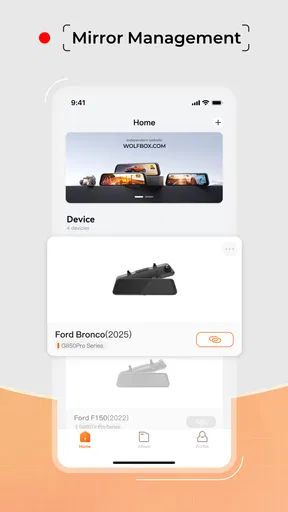
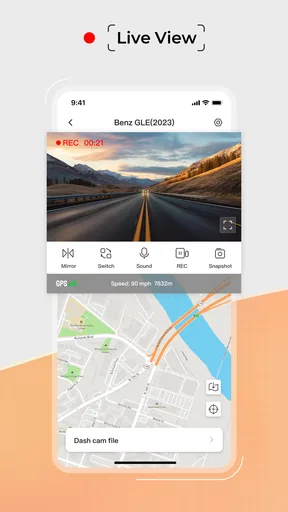
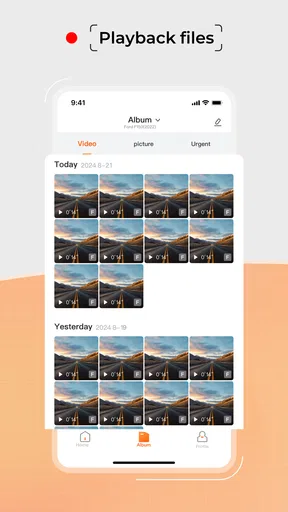
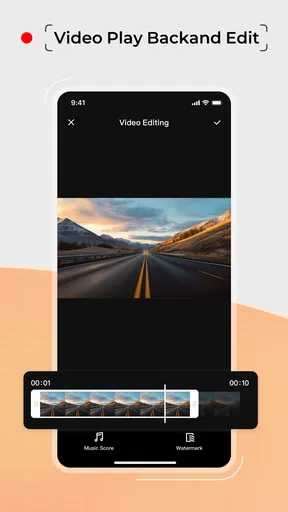
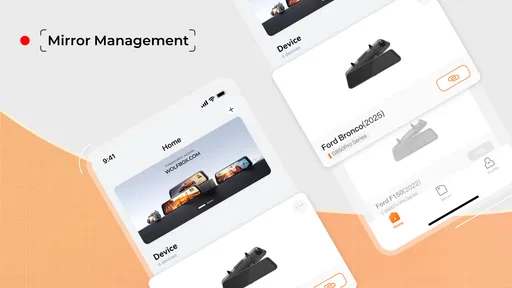
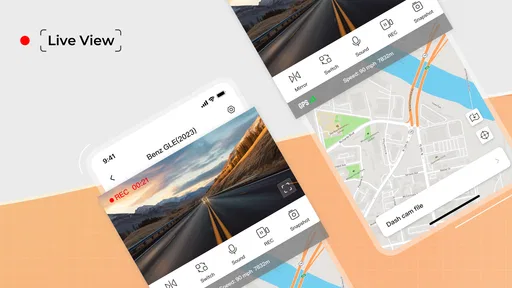
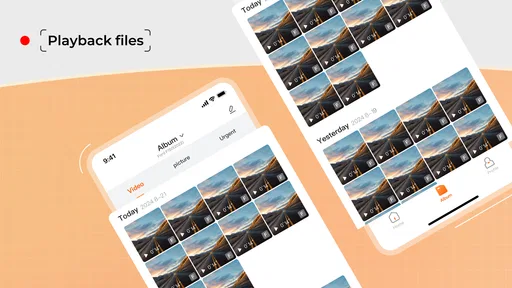
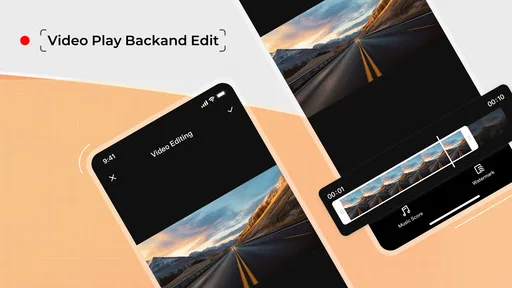
Wolfbox Auto is a companion app designed to work with compatible WOLFBOX dash cameras and vehicle accessories. After connecting the app to your device, you can view a live camera feed, browse recorded videos and photos, download important files to your phone, and adjust supported camera settings. Available features may vary depending on your specific WOLFBOX model and firmware version.
How do I connect Wolfbox Auto to my dash camera?
To connect Wolfbox Auto, install the app on your Android or iOS device, turn on your compatible WOLFBOX camera, and enable the camera’s Wi-Fi function. Open the phone’s Wi-Fi settings and connect to the network created by the dash cam, then launch the app. The connection may temporarily use the camera’s Wi-Fi instead of mobile internet, so follow the in-app instructions carefully.
Can I save dash-cam videos to my phone with Wolfbox Auto?
Yes, Wolfbox Auto generally allows users to preview recordings stored on the dash camera and download selected videos or images to a smartphone. Download times depend on file size, camera resolution, and the wireless connection. Longer recordings, especially high-resolution or parking-mode clips, can require significant storage space, so it is worth checking your phone’s available memory before transferring files.
Does Wolfbox Auto require an internet connection or mobile data?
The app usually communicates directly with the compatible dash camera through the camera’s built-in Wi-Fi, meaning an active internet connection is not normally required for viewing or transferring local recordings. However, your phone may display a warning because the camera network does not provide internet access. Mobile data may be needed for app updates, cloud-related functions, or other online services if your particular model supports them.
Is Wolfbox Auto compatible with every WOLFBOX dash camera?
No, compatibility depends on the WOLFBOX product model and the features supported by its firmware. Some cameras may offer live viewing and file downloads, while others can include additional controls such as configuration settings, GPS information, or parking-monitoring options. Before downloading, check the camera’s product manual or official listing to confirm that Wolfbox Auto supports your exact device.
